I landed and have no internet
2 min read
Three switches fix almost every case. It takes about two minutes, and you can do it before you leave the plane.
1
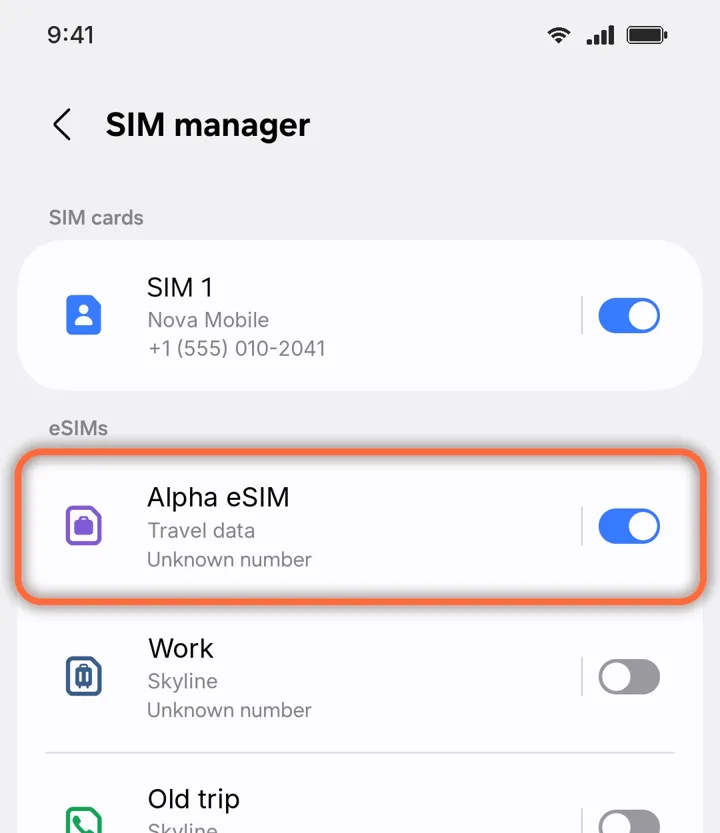
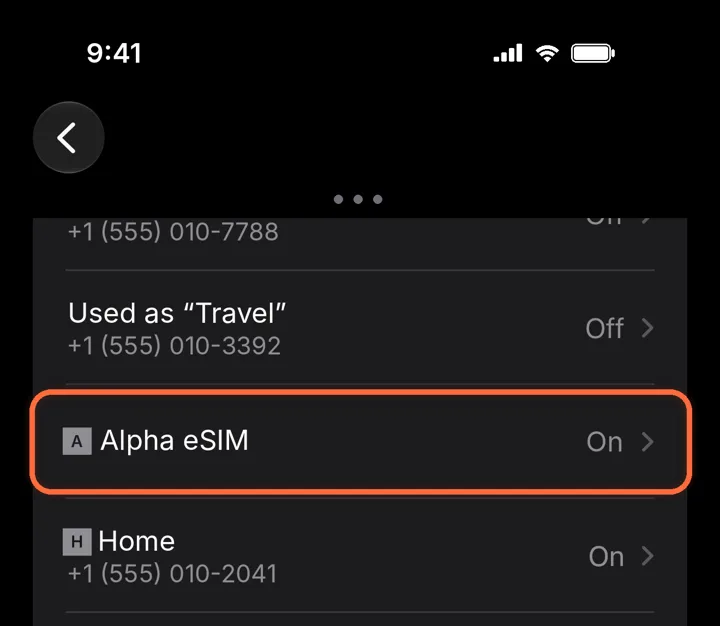
Open your Alpha eSIM
Settings›Cellular›Alpha eSIM
Under SIMs, tap Alpha eSIM. On some iPhones this menu is called Mobile Service instead of Cellular.
2
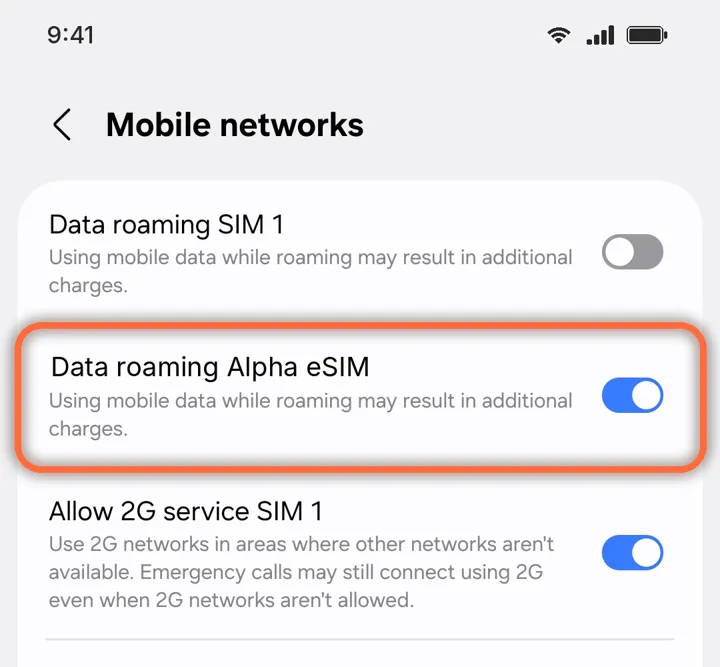
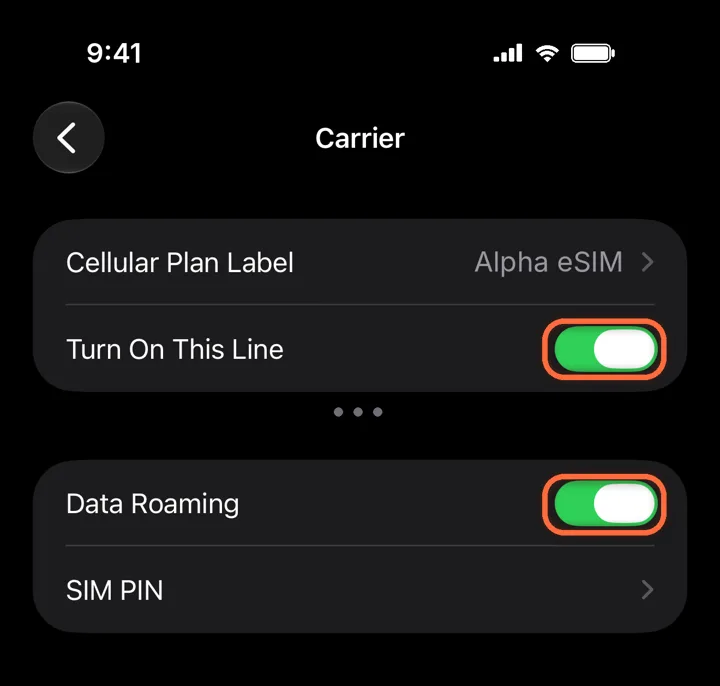
Turn on the line and Data Roaming
Alpha eSIM›Turn On This Line+Data Roaming
Both switches must be green. A travel eSIM always uses roaming, so without Data Roaming it cannot connect.
Roaming is free on Alpha eSIM. Leave Data Roaming off on your home line, so it cannot charge you.
3
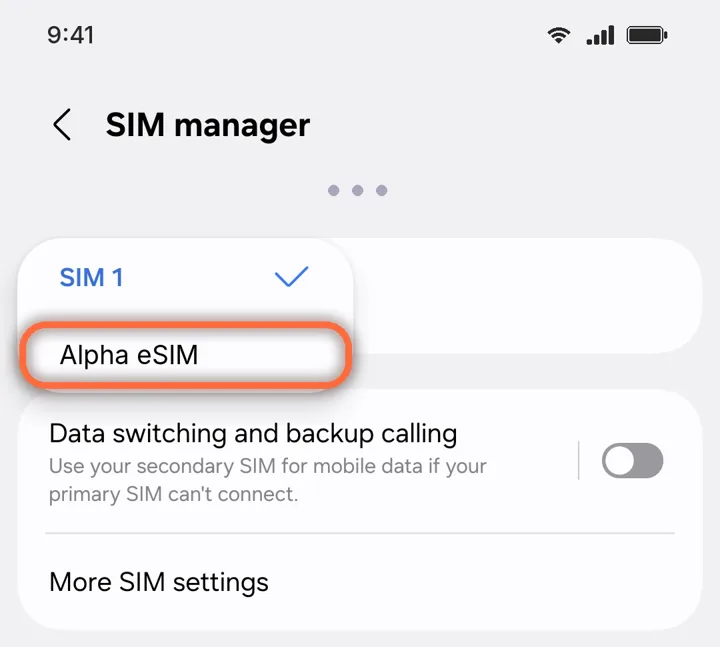
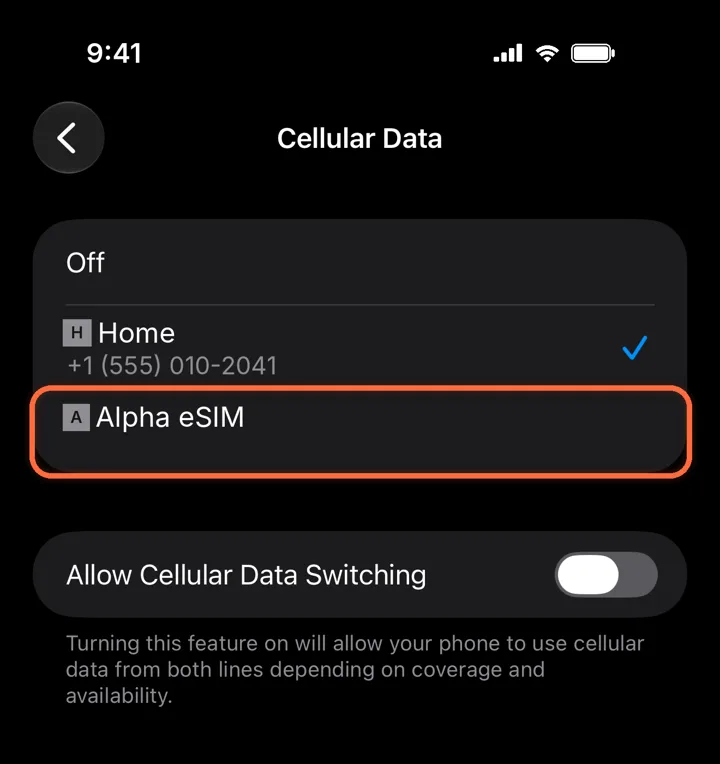
Use it for mobile data
Settings›Cellular›Cellular Data›Alpha eSIM
Pick Alpha eSIM. Leave Allow Cellular Data Switching off so your phone never falls back to your home line.
4
Restart your phone
Turn it off and on once. Most phones connect within a minute. You should see a network name and 4G or 5G at the top of the screen.
5
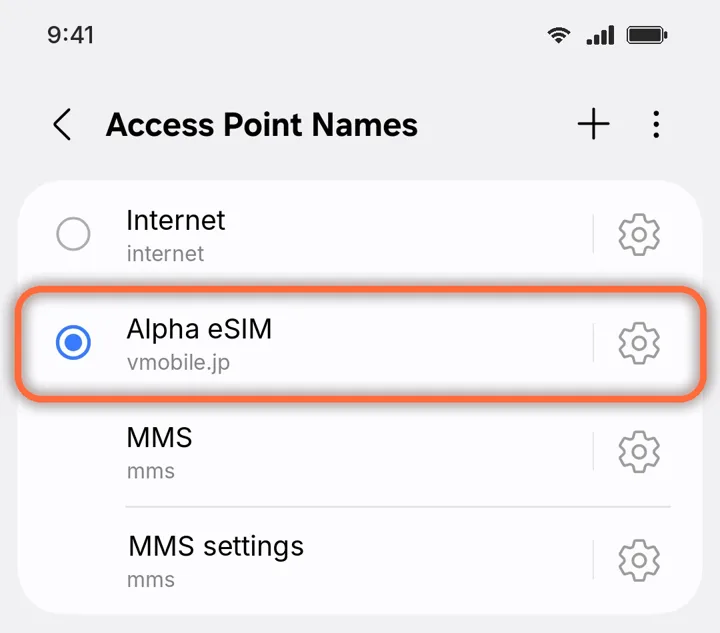
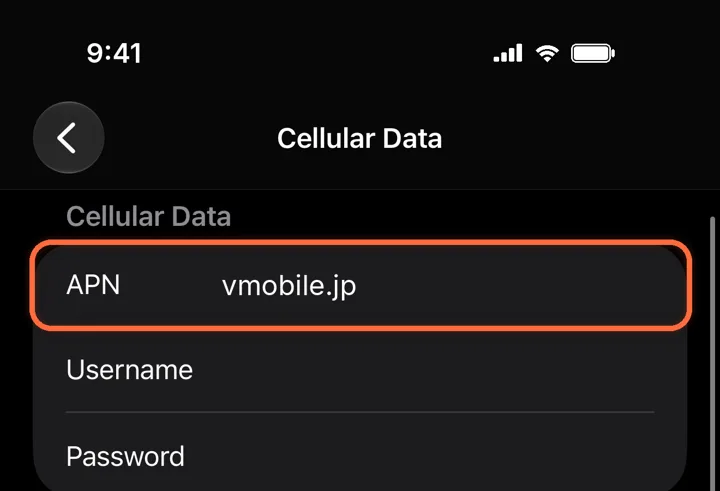
In Japan? Check the APN
Alpha eSIM›Cellular Data Network›APN
Only if you are in Japan and the steps above did not help. Type vmobile.jp in the APN box and leave the rest empty.
Still nothing? Check you are in a country your plan covers, and that your phone is not locked to your home carrier.
NEXT“No service” or “SOS only”
Did this help?