Set up your lines
2 min read
Two settings decide what your phone uses abroad: which line gives mobile data, and which line may roam.
1
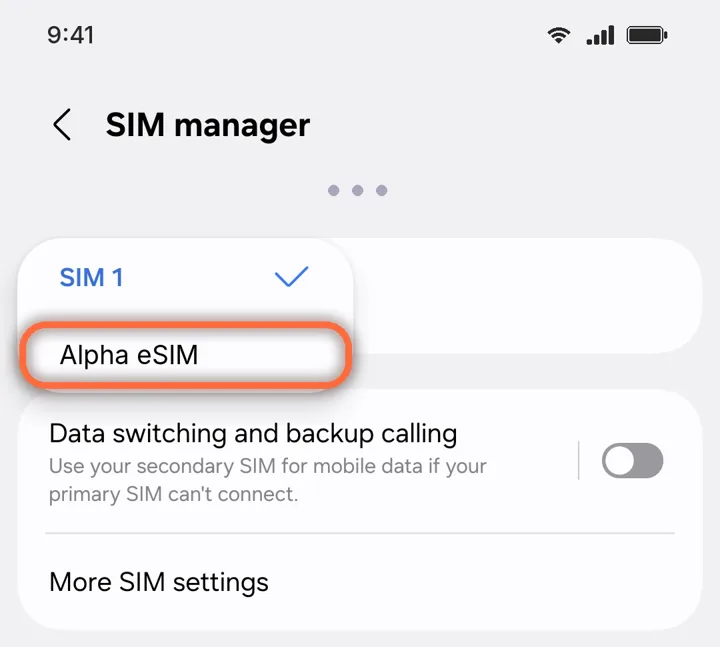
Use it for mobile data
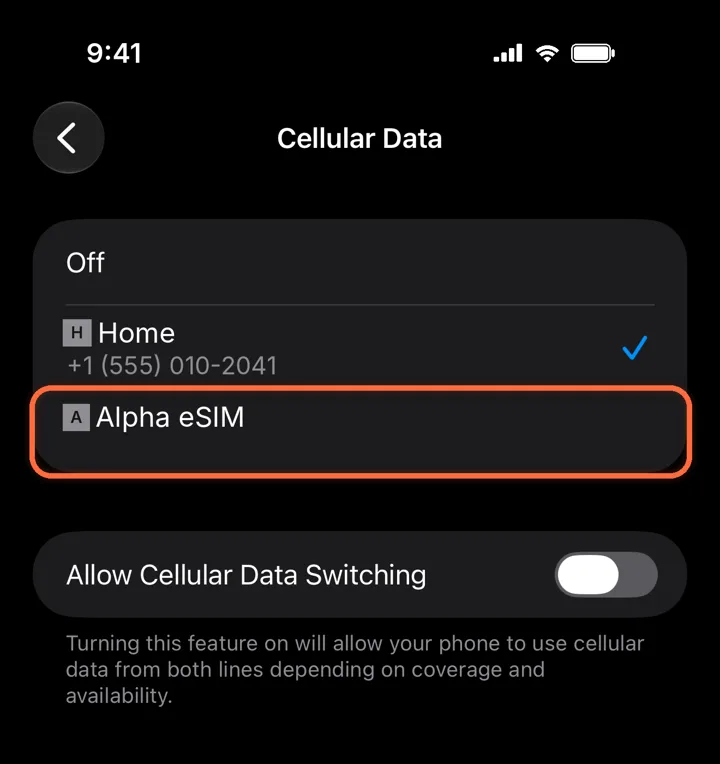
Settings›Cellular›Cellular Data›Alpha eSIM
Pick Alpha eSIM. Leave Allow Cellular Data Switching off so your phone never falls back to your home line.
2
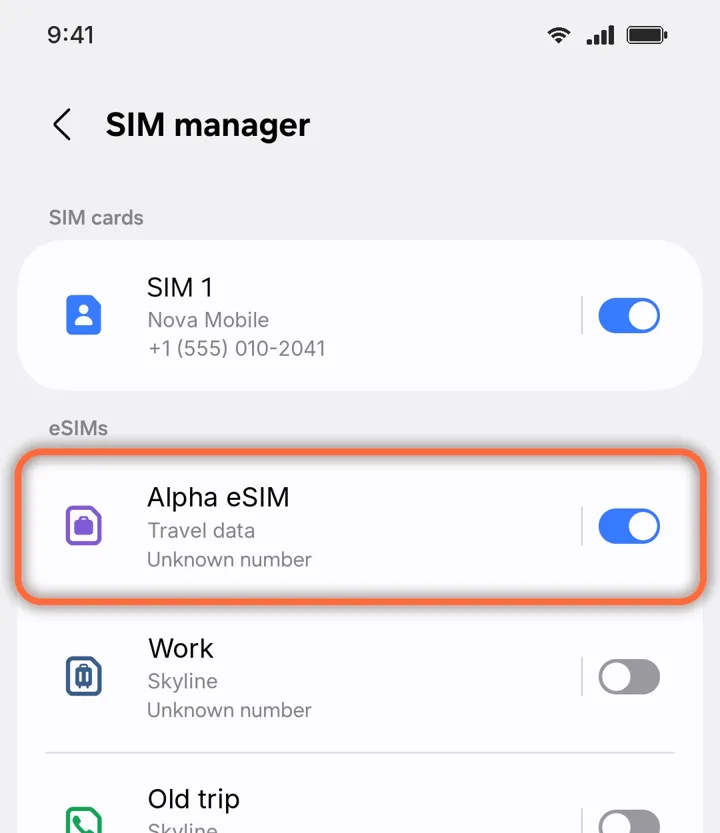
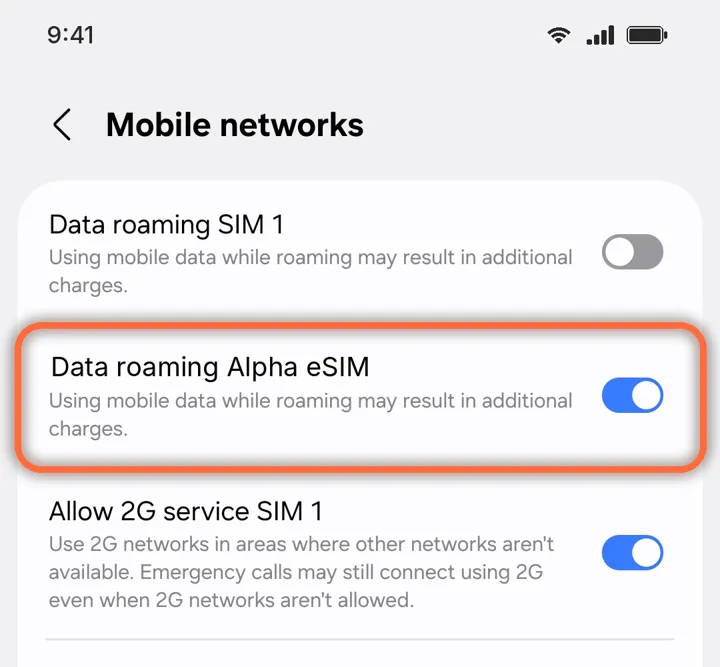
Turn on the line and Data Roaming
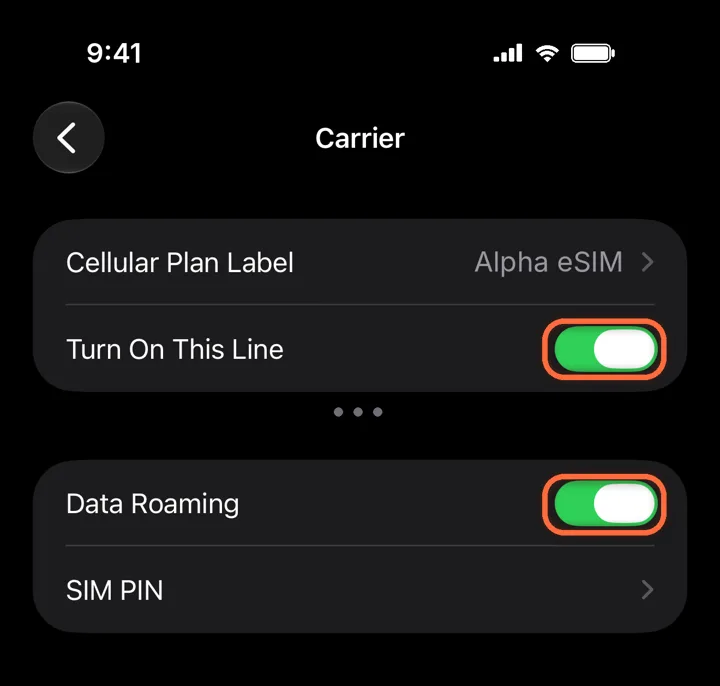
Alpha eSIM›Turn On This Line+Data Roaming
Both switches must be green. A travel eSIM always uses roaming, so without Data Roaming it cannot connect.
Roaming is free on Alpha eSIM. Leave Data Roaming off on your home line, so it cannot charge you.
3
Keep your number for calls
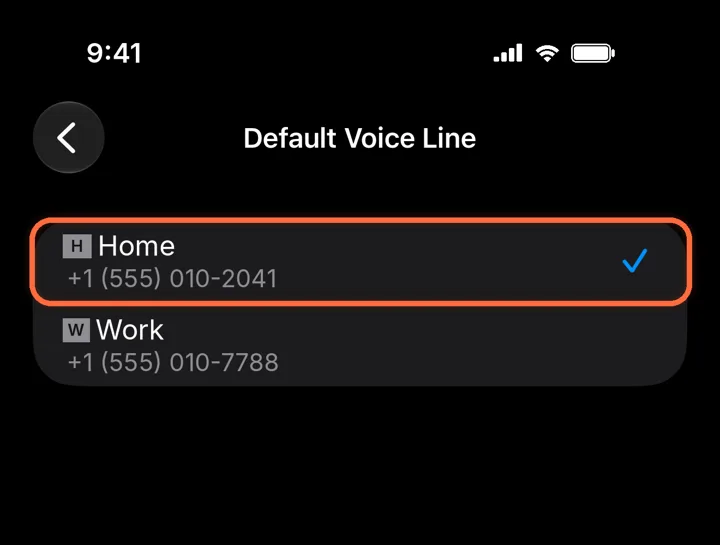
Settings›Cellular›Default Voice Line›Home
Leave your home line as the default for calls and iMessage. Your Alpha eSIM is data only, so it is not listed here.
Label your lines “Home” and “Alpha eSIM”. With several eSIMs installed, it saves a lot of guessing.
NEXTReinstalling or moving an eSIM
Did this help?