Install on Android
2 min read
Menus differ a little by brand. These steps use a Samsung Galaxy; Pixel names are given where they differ.
1
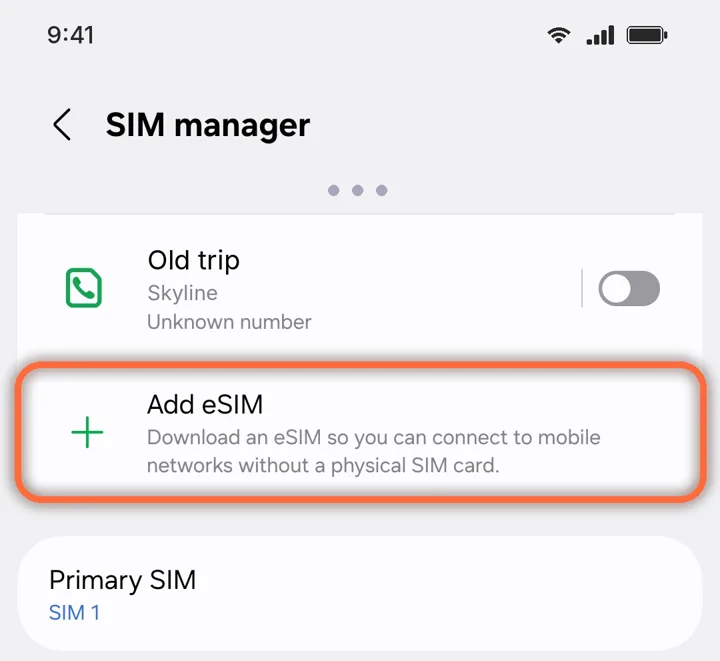
Open Add eSIM
Settings›Connections›SIM manager›Add eSIM
On a Google Pixel: Settings › Network & internet › SIMs › Add SIM. Other brands: search Settings for “eSIM”.
2
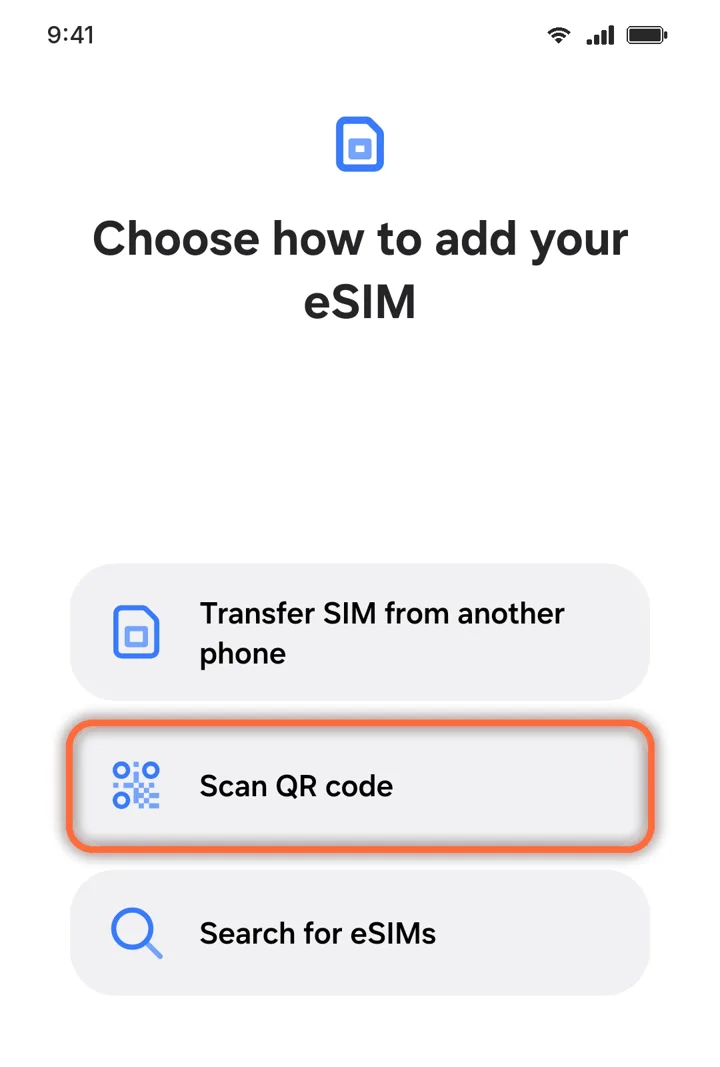
Scan the QR code
Add eSIM›Scan QR code
Scan the QR from your order or email. If it will not scan, choose Enter activation code and paste the code from My eSIMs.
3
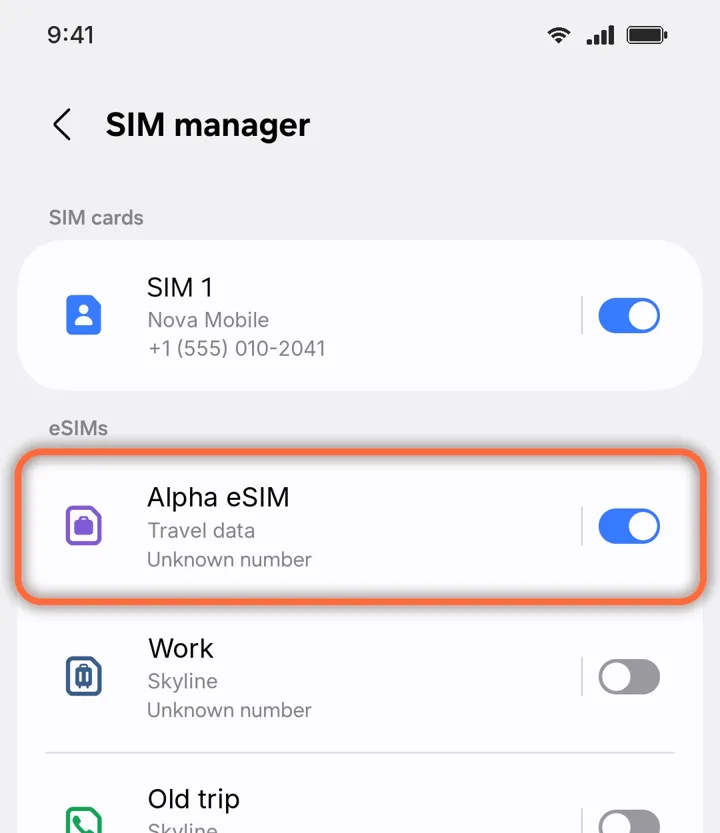
Switch on your Alpha eSIM
Settings›Connections›SIM manager›Alpha eSIM
Turn on the switch next to Alpha eSIM. On a Google Pixel: Settings › Network & internet › SIMs.
4
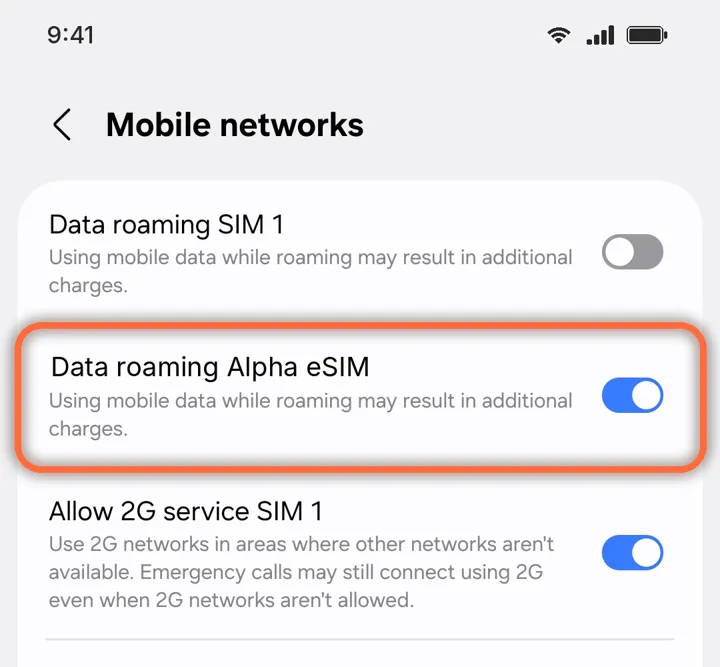
Turn on Data roaming for it
Settings›Connections›Mobile networks›Data roaming Alpha eSIM
Switch on roaming for Alpha eSIM only. Leave it off for your home SIM.
Roaming is free on Alpha eSIM. Your home SIM stays off roaming, so it cannot charge you.
Did this help?