About this plan
1 GB · 7 days
1 GB of high-speed dataEveryday basics: maps, social apps, browsing.
Valid for 7 daysUse it whenever you like within that time.
Top up anytimeRunning low? Add more data to the same eSIM.
Days start when you landInstall any time before you fly. The clock starts at your first connection.
5G where availableUses 4G where there is no 5G, or if your phone is not 5G.
Online you appear in Hong KongA few apps, such as TikTok, may not work. Most sites work as normal.
Works on NTT docomo (5G), Rakuten Mobile (5G) and KDDI/au (5G)Your phone joins the strongest of these networks.
Install in 1 minute
Real screens. Do it before you fly, on Wi-Fi.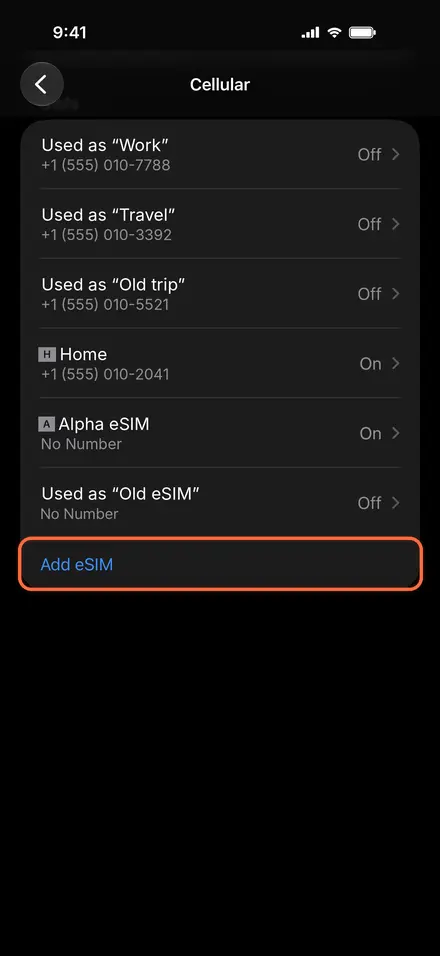
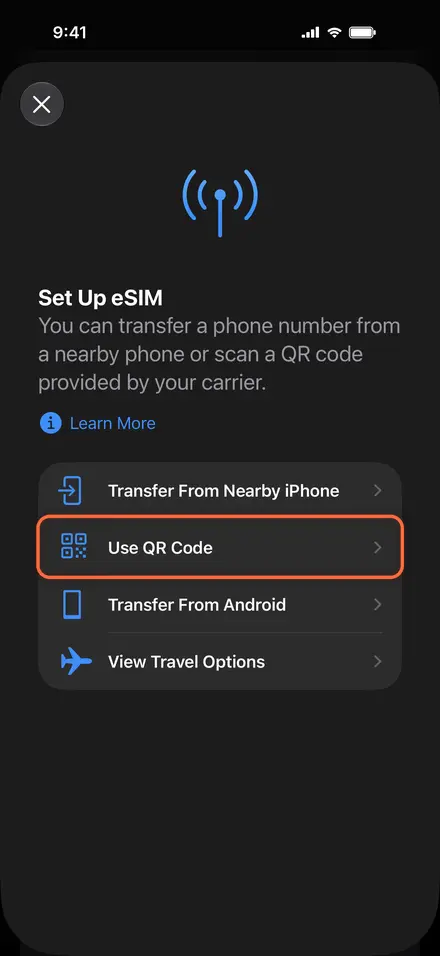
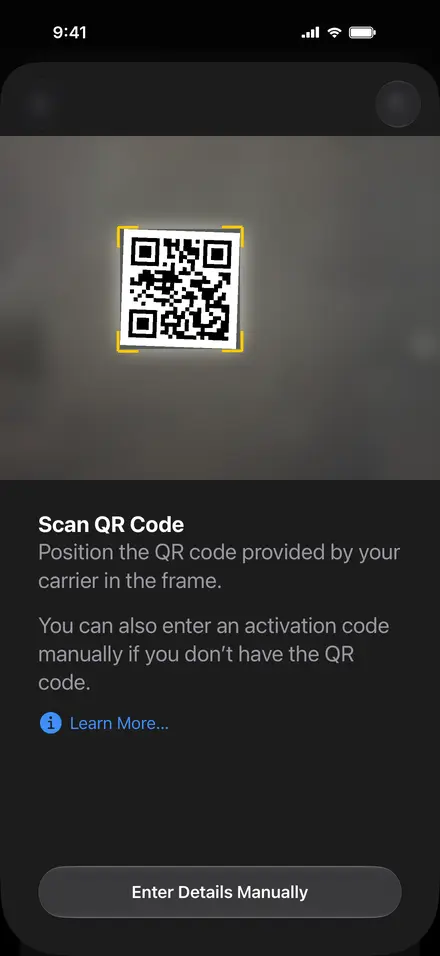
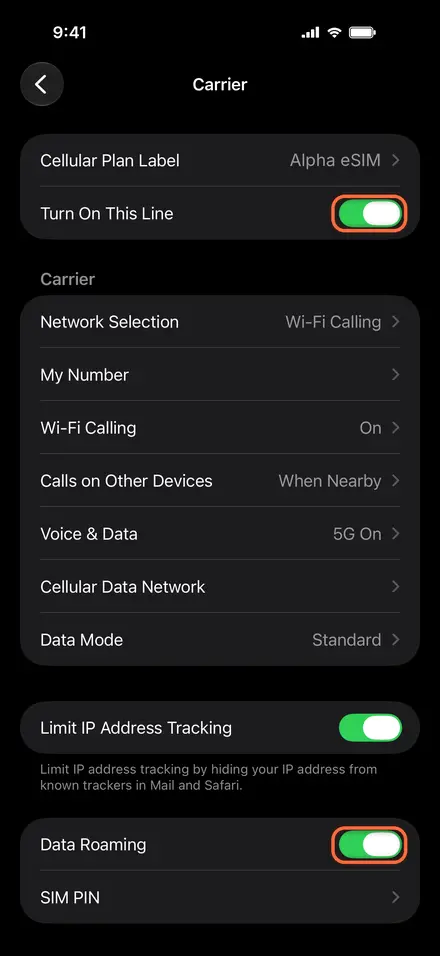
- 1Open Settings › Cellular and tap Add eSIM
- 2Choose Use QR Code
- 3Scan the QR from your email or My eSIMs
- 4Turn on the line and Data Roaming
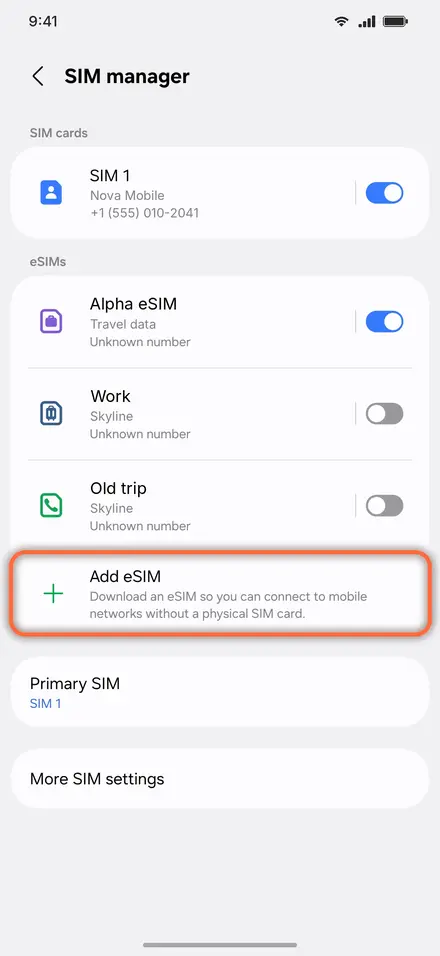
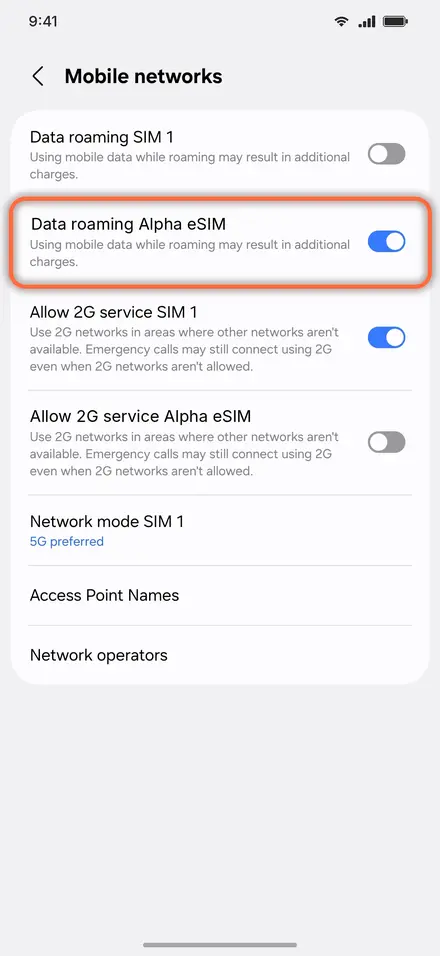
- 1Open Settings › Connections › SIM manager, tap Add eSIM
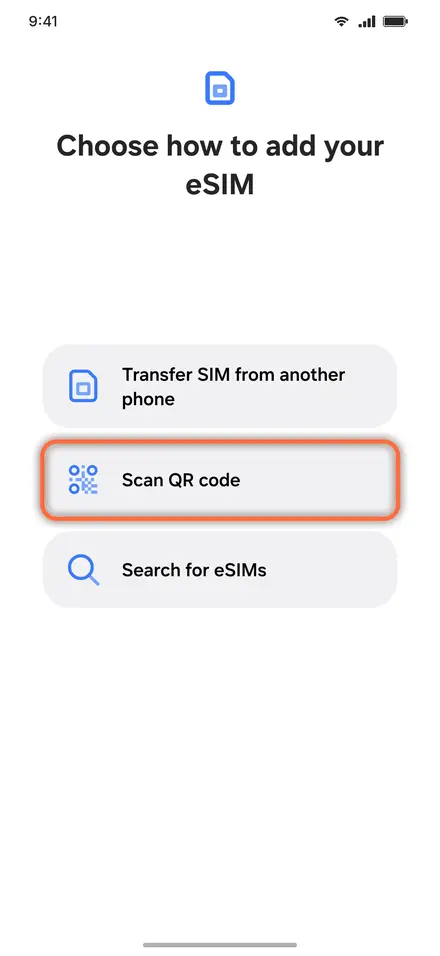
- 2Choose Scan QR code and scan it
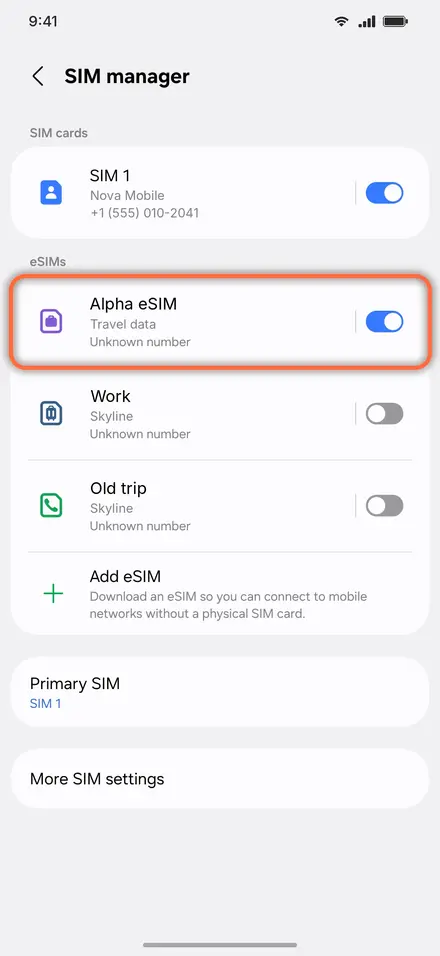
- 3Switch on Alpha eSIM
- 4Turn on Data roaming for it
How it works
01
Pick a plan
Data or day pass
02
Install in one tap
Or scan the QR we email
03
Land & connect
Data the moment you arrive
Staying connected in Japan
Japan has four networks: NTT Docomo, KDDI (au), SoftBank and Rakuten Mobile. Coverage is excellent in cities and along train lines, including most Shinkansen tunnels.
- ✓Some Japan plans need an APN set by hand on iPhone. If you have bars but no data, see our APN guide.
- ✓Japanese apps for trains and maps work best with your phone set to allow data in the background.
- ✓Free Wi-Fi in Japan often needs a sign-up, so mobile data is the easier way to stay online.
Travelling further?
Questions
Will my phone work?
It needs eSIM support and must not be carrier-locked. Look for “Add eSIM” in your phone’s mobile or cellular settings.
When does my plan start?
Each plan says whether its days start at installation or when you first connect in Japan. Check before installing early.
Can I add more data?
Yes. Use the top-up link in your order email, or sign in and open My eSIMs.